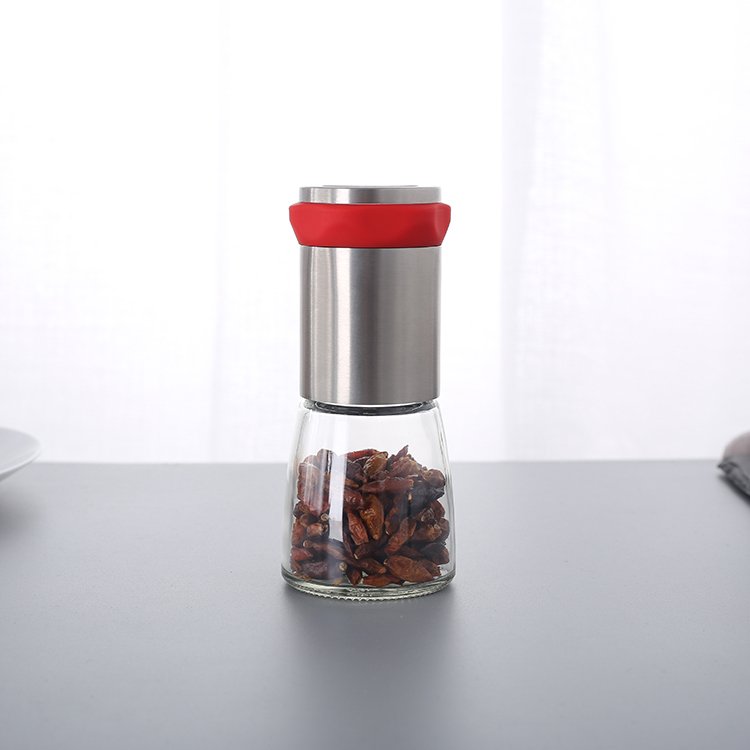
A pepper grinder suddenly stopping can disrupt your kitchen plans. Many people experience malfunctions such as power problems, clogged parts, or worn-out components. These issues can all cause a grinder to stop working or degrade in performance. Always unplug your ChefsHere grinder before checking it. Always follow safety guidelines.
Key Takeaways
- First, check the power supply. Replace low-power batteries or ensure the power cord is securely plugged in. This will help get your grinder working again.
- Clean your pepper grinders regularly. Remove and clean the parts after each use. This prevents clogging and ensures the grinder always works well.
- Look for signs of damage. Rust, unusual noises, or uneven grinding all indicate that you may need to repair or replace your grinder.
- Use only dry ingredients. Water can cause the grinder to jam or break. Keep your grinder dry for optimal performance.
- Always follow safety rules. Unplug the grinder before attempting to repair it. If you smell a burning odor or notice any damage, stop using it immediately.
Grinder Suddenly Not Working – Main Causes

Why do grinders or battery problems cause them to stop working?
Many people find that their grinder stops working due to power issues. ChefsHere electric grinders require batteries or a power cord to operate. If your grinder won’t start, the battery may be low or depleted. Sometimes, a damaged power cord or a loose plug can also cause the grinder to suddenly stop working.
To resolve this issue, first check the battery. Replace the battery if necessary. If your grinder uses a power cord, check the cord for damage or wear. Ensure the plug is securely connected to the outlet. Manual grinders usually don’t have power problems, but check if the handle turns easily. If the grinder still doesn’t work, there may be an internal wiring fault that requires repair.
How clogged parts affect grinder performance
Clogged parts are a common cause of grinders stopping. ChefsHere salt and pepper grinders, as well as coffee grinders, can become clogged if water gets in or too much food is added. Fine powder or an old grinding head can also cause clogs. Regularly cleaning your grinder helps prevent these problems.
Clogging can be caused by moisture, overloading, incomplete cleaning, residual fine powder, or old coffee grounds. These problems are common, but it’s unclear whether they are more frequent than battery or assembly issues.
If the grinder’s burr is stuck, it won’t rotate. This results in unevenly ground coffee, affecting the taste.
To resolve a clogged grinder, empty all clogged coffee grounds. Clean the burr with a dry brush. Do not grind wet salt or pepper. For coffee grinders, clean the burr and wipe away all coffee grounds. Regular cleaning helps the grinder function properly.
Signs of Damaged or Worn Grinder Parts
If your grinder stops working, it may be due to damaged or worn parts. ChefsHere grinders will give some warning signs when malfunctioning. Pay attention to changes in appearance, taste, or sensation.
| Indicator Type | Description |
|---|---|
| Visual | Orange or brown spots on the teeth mean rust. Orange dust in the salt means corrosion. |
| Taste | If your salt tastes metallic or bitter, the grinder is losing pieces. |
| Texture | Grinding feels hard or uneven. Salt comes out in clumps or not at all. |
The damaged part may be a stripped drive coupling, worn armature, or damaged gears. If grinding feels rough or uneven, or if the salt clumps, a component is likely damaged. Check for rust or corrosion. If you taste a metallic flavor, the grinder is detaching parts. You may need to replace the damaged part or seek help from a repair specialist.
Detailed Troubleshooting Steps for Grinding Machines

How to Check Power and Electrical Connections
Finding out if the power is the problem helps fix your grinder fast. Sometimes, electric grinders stop working because of simple issues. Follow these steps to troubleshoot:
- Plug the grinder into a good outlet. Try another outlet if it does not turn on.
- Make sure the cord is secure and look for damage.
- Check if the lid is tight if your grinder has a safety lock.
- Look for a reset button or fuse. Press the start or stop button many times to see if it responds.
- Reset the breaker if it has tripped.
Listen for sounds from the motor and see if any lights turn on. Write down any strange things, like blinking lights or weird noises. Always unplug the grinder before cleaning or checking electrical parts.
Safety Tip: Stop using the grinder if you smell burning or it shakes a lot. Unplug it before troubleshooting.
How to Remove Clogs or Jammed Ingredients
Clogs and blockages make the grinder stick and work poorly. Both electric and manual grinders need regular cleaning. Use these tips:
- Empty the grinder and take out stuck salt, pepper, or coffee beans.
- Clean the grinding parts with a dry brush or soft cloth.
- Do not grind wet ingredients. Moisture can cause jams and overheating.
- For tough residue, use mild dish soap and water. Dry all parts before putting it back together.
- Test the grinder after cleaning to make sure it works well.
| Step | Electric Grinder Cleaning and Maintenance | Manual Grinder Cleaning and Maintenance |
|---|---|---|
| 1 | Take apart the grinder and keep parts organized. | N/A |
| 2 | Clean the grinding parts with a soft brush or dry cloth. | N/A |
| 3 | Wipe the outside with a damp microfiber cloth. | N/A |
| 4 | For tough residue, use mild dish soap and water. | N/A |
| 5 | Make sure all parts are dry before reassembling. | N/A |
| 6 | Test the grinder after cleaning to check if it works. | N/A |
How to Find Internal Damage or Mechanical Problems
Internal damage can stop the grinder from working and cause it to overheat or break. Check for these issues:
- Look at the grinding parts for wear or damage. Replace broken parts.
- Tighten loose parts to prevent more problems.
- Lubricate moving parts to reduce friction and heat.
- Check the battery area for rust or leaks. Change damaged batteries.
If the motor makes strange sounds or stops suddenly, there might be internal problems. Broken teeth or a worn motor can cause uneven grinding. Get help from a repair expert if needed or if the grinder keeps overheating.
Note: Always check for damage before putting the grinder back together. If it shakes too much or smells like burning, stop using it.
When Your Grinder Is Beyond Repair
Signs It’s Time to Replace Your Grinder
A kitchen tool should make cooking easier. Sometimes, a grinder reaches the end of its life. People can look for clear signs before buying a new one.
- The grinder does not turn on after changing batteries or checking the power cord.
- Grinding feels rough, stiff, or makes loud noises.
- The handle or body feels loose or cracked.
- Rust or corrosion appears on the grinding parts.
- The grinder leaves metal or plastic pieces in the food.
If these problems persist, the grinder may not function properly. People should not use grinders that shed shavings. Kitchen safety is always a top priority.
Repair or Replace: What to Consider
People often struggle with whether to repair or buy a new grinder. They can use the following simple table to help them make a decision:
| Question | Repair | Replacement |
|---|---|---|
| Cost | Low | High |
| Time | Short | Long |
| Safety | Good if fixed | Best if new |
| Results | May last a while | Works like new |
If your grinder only requires minor repairs, maintenance is a wise choice. However, if the grinder has multiple problems or its parts are worn out, replacing it with a new one is more appropriate. Consumers should check if their grinder is still under warranty. Some brands offer after-sales service or replacement parts.
A new grinder can save time and provide better grinding results. Consumers should choose a durable grinder that meets their needs.
How to Prevent Grinder Problems in the Future
Best Practices for Daily Cleaning of Grinders
Grinders should be cleaned frequently. Sticky substances can build up inside and cause malfunctions. Empty the grinder after each use. Use a dry brush to remove any sticky substances from the grinding parts. For herbal grinders, wash removable parts with warm water and mild soap. Ensure each part is dry before reassembling. Frequent cleaning prevents sticky substance buildup. This helps the grinder work better and extends its lifespan.
Safe Operation and Long-Term Maintenance Tips
Using the grinder safely helps prevent sticky substance buildup. Never force the grinder if it feels stuck or clogged. Check for sticky substance buildup before use. For electric grinders, check the power cord for damage. Avoid getting the grinder wet to prevent electrical malfunctions. Store herbal grinders in a dry place. Always follow the cleaning and maintenance instructions. Good habits can prevent sticky substance buildup and power failures in grinders.
When to Replace a Part
Sometimes, sticky substance buildup means a part needs to be replaced. Inspect the grinder for sticky wear or cracks. If you hear unusual noises or experience insufficient power, check the grinding teeth and the power switch. Herbal grinder users should replace any stuck or damaged filters or grinding teeth promptly. Regularly inspecting the grinder helps identify problems early. Replacing damaged parts ensures the grinder operates safely and efficiently.
| Part to Check | Signs to Replace | How Often to Inspect |
|---|---|---|
| Grinding Teeth | Sticky wear, sticky chips | Every 3 months |
| Power Cord/Switch | Sticky damage, sticky loss of power | Every 6 months |
| Screens (Herb Grinder) | Sticky buildup, sticky tears | Every 3 months |
ChefsHere grinders require regular maintenance to function properly. Users should keep the grinder dry and clean it weekly with a soft brush. The grinding mechanism should also be checked for damage. Storing peppercorns in an airtight container will keep them fresh. Safety is paramount. The following table lists key safety steps:
| Safety Precaution | Description |
|---|---|
| Air Drying | Let ceramic parts air dry for 24 hours before reassembling. |
| Proper Storage | Store in a cool, dry place. |
| Covering | Keep covered when not in use. |
FAQ
Why is my grinder making a lot of noise but not grinding?
Excessive noise usually indicates a blockage inside the grinder. Users should empty the grinder and check for hard objects or debris. Cleaning the grinding mechanism usually solves this problem.
Can I use wet salt or pepper in my ChefsHere grinder?
No, you should not use wet salt or pepper. Moisture can cause blockages and damage the grinder. Only dry ingredients will ensure proper grinder operation.
How often should I clean my ChefsHere grinder?
If used daily, it is recommended to clean it weekly. Regular cleaning prevents grime buildup and keeps the grinder running smoothly.
What should I do if my grinder stops working during use?
Turn off the grinder or unplug it. Then, check for blockages. Clearing the blockages and cleaning the grinder will usually restore its normal function.
Can I wash my grinder in a dishwasher?
Most ChefsHere grinders are not dishwasher safe. Disassembled parts should be hand-washed and thoroughly dried before reassembling.